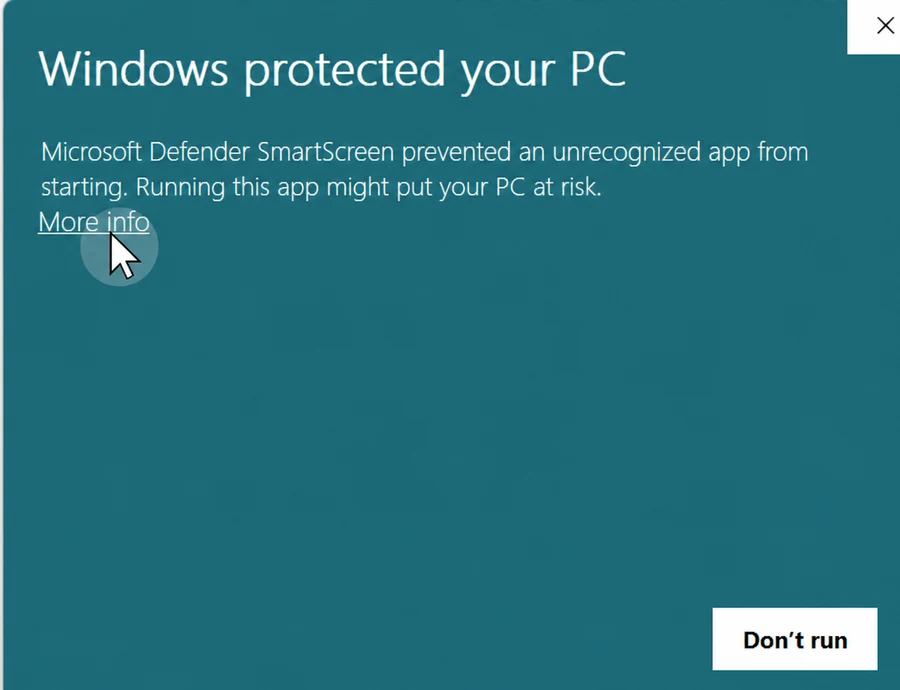
Step 1 · More info
Expand the warning dialog to reveal the signed publisher details.
For installation, licensing, billing or product questions, contact support@clickdraft.co.uk.
CLICKDRAFT currently has validated builds for Revit 2021 and Revit 2026.4. Installation instructions are supplied with the customer package.
Because ClickDraft is a newly released signed application, some Windows systems may show a SmartScreen warning before installer reputation is established. If that happens, click More info, confirm the publisher is CLICKDRAFT LTD, then click Run anyway.
Expand the warning dialog to reveal the signed publisher details.
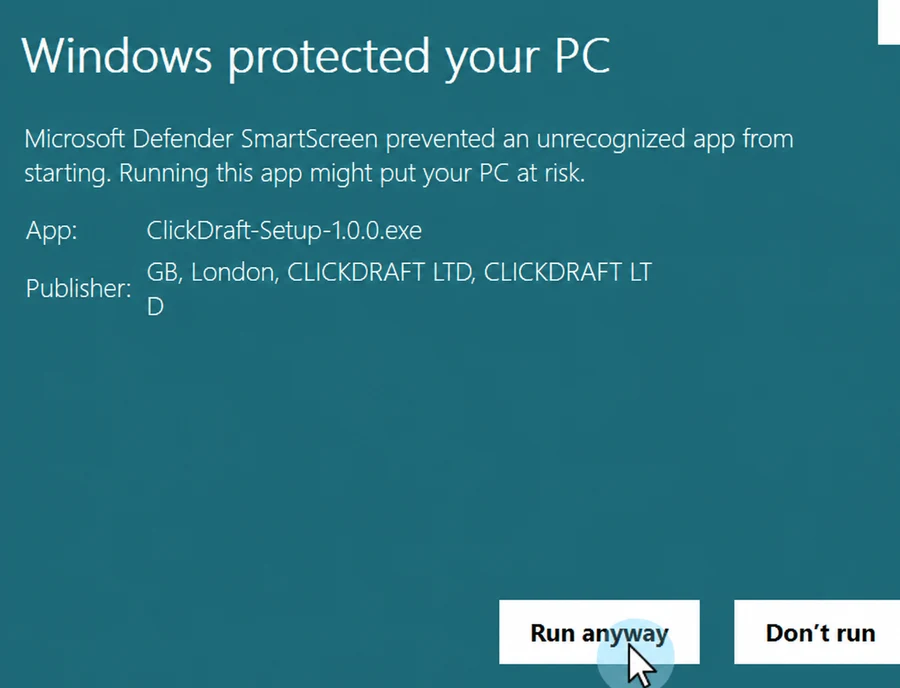
Continue only after confirming the publisher is ClickDraft Ltd.
Subscription billing is processed securely through Stripe. For purchase, licensing or billing questions, contact support directly.
If you need ClickDraft to document a project for you — including complex models, deadline support or a done-for-you workflow — email support@clickdraft.co.uk for a custom project quotation.
Before sending files, review our Privacy Notice. Where the project requires ClickDraft to process personal data on your organisation's instructions, the Data Processing Addendum can be incorporated into the project order.